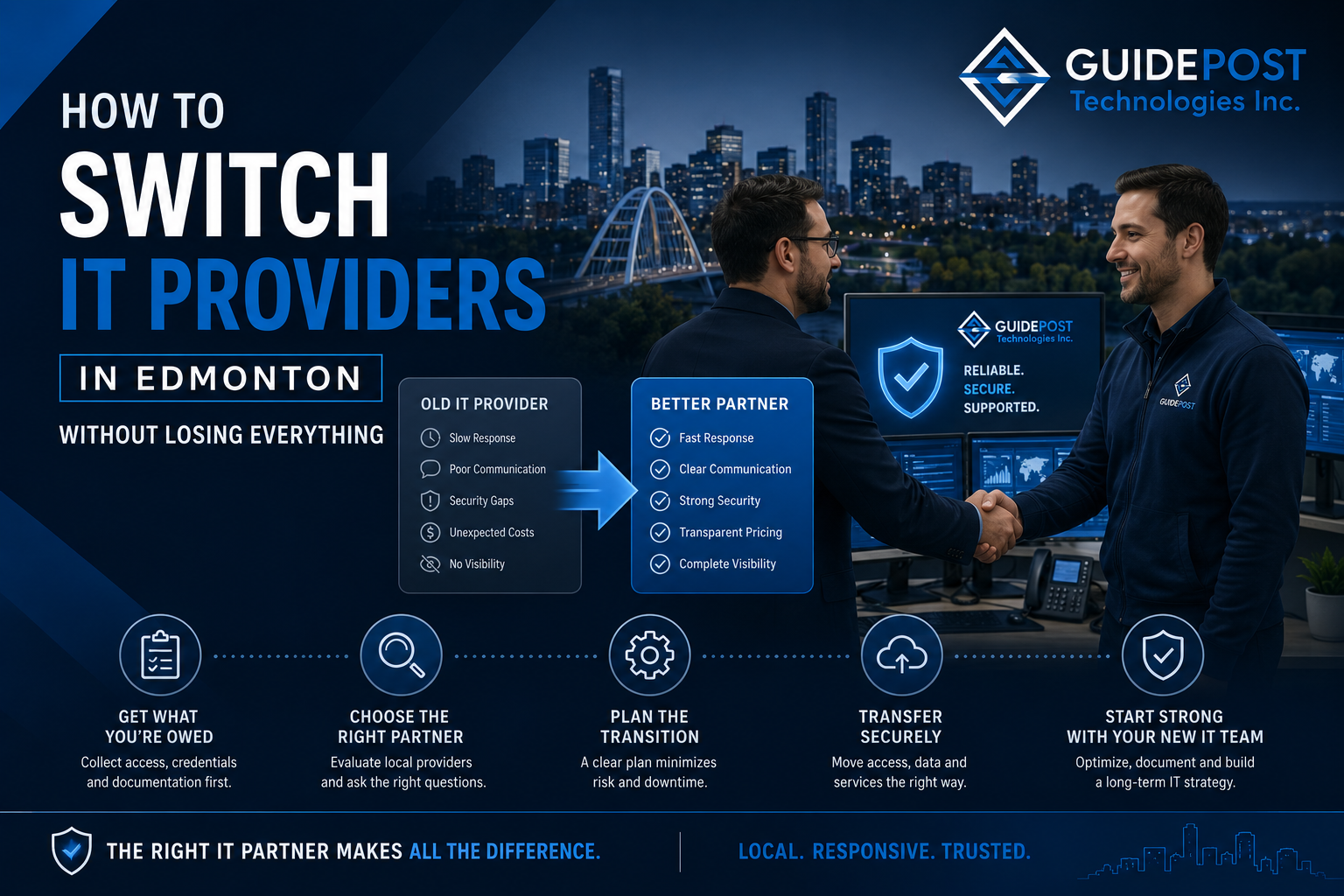
Most Edmonton businesses stay with a bad IT provider far longer than they should — not because they’re satisfied, but because switching feels risky. What if the new provider can’t find everything? What if the old one doesn’t cooperate? What if the transition causes downtime?
Switching IT providers in Edmonton is significantly less risky than most business owners think, provided it’s done with a clear plan. This post explains how to know when it’s time to switch, how to choose a replacement, and how to execute the transition without losing access, losing data, or losing weeks of productivity.
Signs It’s Time to Switch Your IT Provider
Not every IT frustration warrants switching providers — some issues are temporary, some are the result of growing pains, and some can be resolved through a direct conversation. However, certain patterns indicate a provider relationship that is genuinely not working and unlikely to improve.
Recurring problems that never get fully resolved — The same issues come back repeatedly. Your team submits the same tickets over and over. The provider fixes the symptom but never addresses the root cause. This suggests reactive management rather than proactive oversight.
No visibility into what’s actually happening — You don’t receive regular reports, you don’t know whether your backups are running, you’re not informed about security issues affecting your industry. Good IT providers communicate proactively. If you only hear from your provider when something breaks, that’s a problem.
Response times are consistently poor — Every business has urgent IT issues from time to time. If critical problems regularly sit unaddressed for hours or days, the provider doesn’t have sufficient capacity or prioritization for your account.
Security basics aren’t in place — If MFA isn’t enabled across your accounts, your backups aren’t being tested, your network has no segmentation, and nobody has mentioned cybersecurity policy — your current provider isn’t meeting 2026 baseline standards regardless of how long you’ve worked together.
No documentation of your environment — A competent IT provider maintains current documentation of your network, systems, credentials, and configurations. If your provider can’t produce this on request, you’re dependent on their institutional knowledge in a way that creates real risk.
Pricing surprises — Consistent unexpected invoices for work you thought was included, or pricing that keeps increasing without corresponding service improvements, indicates a provider relationship that isn’t structured fairly.
Before You Start Looking: Get What You’re Owed
Before engaging a new provider or notifying your current one, collect as much documentation and access as possible. Your current provider holds significant leverage once they know they’re being replaced — some handle transitions professionally, others become uncooperative.
Collect this before you give notice:
Admin credentials — You should have administrator access to your own Microsoft 365 tenant, domain registrar, DNS settings, firewall, and any other systems your provider manages on your behalf. These belong to you, not your IT provider. If you don’t currently have them, request them now — frame it as wanting to ensure business continuity documentation rather than signalling a switch.
License and subscription information — A list of every software subscription, SaaS tool, and service being paid for through your IT provider, along with the associated accounts and renewal dates.
Hardware inventory — A list of all company hardware, including make, model, serial numbers, and warranty status.
Network documentation — A network diagram showing how your systems are connected, IP addressing, and key configurations. At minimum, you need to know where your servers, switches, router, and firewall are, and what they’re configured to do.
Backup information — Where backups are stored, what credentials are needed to access them, and what the recovery process involves.
If your provider has been holding this information without providing you access, that itself is a red flag about the relationship — and a reason to get it documented before you need it in a crisis. As we covered in our guide on what to do if your Edmonton business gets hacked, the worst time to discover you don’t have access to your own systems is during an emergency.
How to Choose a New IT Provider
The process of evaluating IT providers deserves more rigor than most businesses apply. A signed contract is difficult to exit, so the evaluation matters.
Look for local presence — A provider based in Edmonton or Sherwood Park can dispatch on-site when remote support isn’t sufficient. Remote-only providers create real gaps for physical infrastructure issues, hardware deployment, and on-site visits to client locations.
Ask about what they actually monitor — “We monitor your systems” means different things from different providers. Ask specifically: what are you monitoring, how are alerts handled, what’s your response time commitment for critical issues, and can you show me a sample monitoring report?
Verify cybersecurity capabilities — In 2026, an IT provider that doesn’t include MFA management, endpoint protection, email security, and security awareness training as standard components of their service is behind the curve. The MRU ransomware attack demonstrates what happens when security controls aren’t properly in place.
Ask for references from similar clients — A provider who works primarily with 50-person professional services firms may not be the right fit for a 12-person construction company. Ask for references from businesses similar to yours in size and industry.
Understand what’s included vs billed separately — Get a complete list of what’s covered under the monthly fee and what generates additional charges. Per-ticket billing, per-project fees, and after-hours premiums can significantly inflate the actual cost above the quoted monthly rate.
Review the contract carefully — Specifically: the notice period to terminate, what happens to your data and documentation when the contract ends, whether you retain ownership of any tools or systems the provider deploys in your environment, and response time guarantees.
How to Execute the Provider Switch
Once you’ve selected a new provider and given notice to the current one, the transition needs to be managed carefully to minimize disruption.
Overlap Period
Wherever possible, negotiate an overlap period where both providers are engaged simultaneously — typically 2 to 4 weeks. This allows the new provider to complete their onboarding and documentation while the incumbent is still technically responsible for day-to-day operations. It’s more expensive in the short term but significantly reduces transition risk.
New Provider Onboarding
The new provider’s first priority is understanding your environment. A competent provider will conduct a thorough assessment — similar to what we described in our IT assessment guide — to document what exists and identify any immediate issues. They should be asking for, or independently discovering:
- All admin credentials and account access
- Network documentation and physical layout
- Backup configuration and credentials
- Hardware inventory and warranty information
- Microsoft 365 tenant configuration
- Any active support tickets or known ongoing issues
If your new provider doesn’t conduct this onboarding systematically, that’s a concern worth raising early.
Credential and Access Transfer
During the transition, change all admin passwords and credentials that the incumbent provider knew — including Microsoft 365 admin accounts, firewall admin access, domain registrar login, and any other system the previous provider had access to. This isn’t about distrust — it’s standard practice to ensure clean separation. Enable MFA on these accounts if it wasn’t already in place.
Remove the previous provider’s named accounts from your Microsoft 365 tenant, firewall management system, and any other tool where they had access. Revoke any remote access tools or agents they deployed that they could use to access your systems.
Communication to Your Team
Employees need to know who to contact for IT support from the transition date. A simple internal communication explaining the change, providing the new helpdesk contact information, and explaining what to expect is sufficient. The simpler the better — employees don’t need the backstory, they need the new phone number and email.
Transition Cutover
Pick a low-activity day for the final cutover — typically a Friday or around a long weekend. Have the new provider fully onboarded before the incumbent’s last day, so there’s no gap in coverage. Confirm before the cutover date that:
- All admin credentials have been changed and transferred
- Monitoring tools have been switched to the new provider’s platform
- Backup monitoring is active under the new provider
- Helpdesk contact information has been updated internally
- The previous provider’s remote access has been revoked
What If Your Current Provider Isn’t Cooperating?
Most IT provider transitions happen professionally. However, some providers become difficult when notified — delaying documentation handover, being unresponsive, or withholding credentials they’re technically holding on your behalf.
The key protection is having collected your own admin access before giving notice, as described earlier. If your current provider is the global admin on your Microsoft 365 tenant and won’t hand over control, Microsoft has a business verification process that allows legitimate business owners to reclaim tenant access — your new provider can assist with this.
For domain registrar access and DNS control, similarly, registrars have processes for legitimate business owners to recover accounts if the primary contact is an uncooperative third party.
The legal position is clear: your IT infrastructure, data, and credentials belong to your business, not your IT provider. If a provider is withholding your own assets, that’s a dispute worth pursuing — and the documentation you collected proactively is what supports your position.
Frequently Asked Questions
How long does switching IT providers take? A well-planned provider switch typically takes 4 to 8 weeks from giving notice to full transition. This includes the notice period with the incumbent, overlap time for the new provider to complete onboarding, and the final cutover.
Will switching IT providers cause downtime? A properly planned transition should cause minimal disruption. Most IT functions continue running on existing infrastructure during the transition period. The main risk of downtime is an unplanned or rushed switch — which is why having an overlap period and proper handover documentation matters.
What if my current IT provider holds our admin passwords? Request them before you give notice. You are legally entitled to admin access to your own systems and accounts. If your provider refuses to hand over credentials you’re entitled to, your new provider and, if necessary, Microsoft or other platform vendors have processes to recover legitimate business access.
Should I tell my current IT provider I’m switching before I’m ready? No. Complete your preparation — collect documentation, identify your replacement, negotiate your new contract — before giving formal notice. Giving notice prematurely reduces your leverage and can lead to reduced service quality during the notice period.
How do I make sure nothing gets lost in the transition? Systematic onboarding by the new provider, combined with the documentation you collected before giving notice, is the best protection. An overlap period where both providers are engaged simultaneously provides an additional safety net.
GuidePost Can Help
GuidePost Technologies manages IT provider transitions for Edmonton and Sherwood Park businesses regularly — handling new client onboarding, documentation, credential transfer, and transition planning to ensure continuity. If you’re considering switching IT providers, we’re happy to walk through what the process would look like for your specific environment.
Call us at 780-851-5000 to start the conversation.
GuidePost Technologies — Managed IT Services, Cybersecurity, Cloud Computing, and Network Support for Edmonton and Alberta Businesses.